
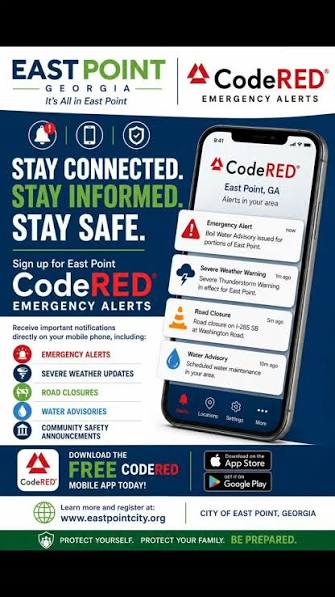
The East Point CodeRED system works as a high-speed Emergency Notification Network that allows city officials and 911 dispatchers to instantly broadcast critical, time-sensitive information to residents and businesses.
How the Alerting Works
Targeted Geo-Fencing: Dispatchers can use custom map boundaries to target specific neighborhoods affected by an incident, rather than waking up the entire city.
Multi-Channel Delivery: The system delivers alerts simultaneously via automated phone calls, SMS text messages, and emails.
Automated Weather Feeds: It integrates directly with the National Weather Service to automatically broadcast severe weather threats like tornado warnings and flash floods.
Types of Alerts Sent
The system categorizes notifications into two main tiers, which you can opt into based on your preferences:
Emergency Alerts: Mandatory notifications regarding immediate threats to life and property, including evacuation notices, gas leaks, active police situations, power outages, and water advisories.
General / Non-Emergency Alerts: Optional community notifications regarding road closures, routine infrastructure work, and general municipal safety announcements.
Who is Covered and How to Enroll
While the city pre-loads public databases and residential landline records into the system, cell phones and emails must be manually registered to guarantee you receive alerts. You can sign up using three methods:
Text to Enroll: Text the keyword EPCODERED to 99411 from your mobile device to receive a direct registration link.
Online Portal: Create an account through the official East Point OnSolve Portal or visit the City of East Point Website and look under the “Residents” tab.
Mobile App: Download the free CodeRED Mobile Alert app from the iOS App Store or Google Play Store to receive location-based safety alerts anywhere you travel.
Check This Out...
-
Happening Tonight: East Point City Council Meeting
-
City Of East Point To Host Dog Party Sunday, October 25: City Themes Event As “Howl-O-Ween Pawty”
-
75 Year Old East Point Grandmother Who Was Shot While Passing Out Food Tells WSB-TV She Can’t Walk, Was In Rehab For Months; Yearns To Pass Out Food Again: “I Miss It Every Time I’m Supposed To Go Out”
-
East Point Water Department Wins Georgia Water Association Award (GAWP) For Third Consecutive Year
-
Early In-Person Voting Begins Today October 13